
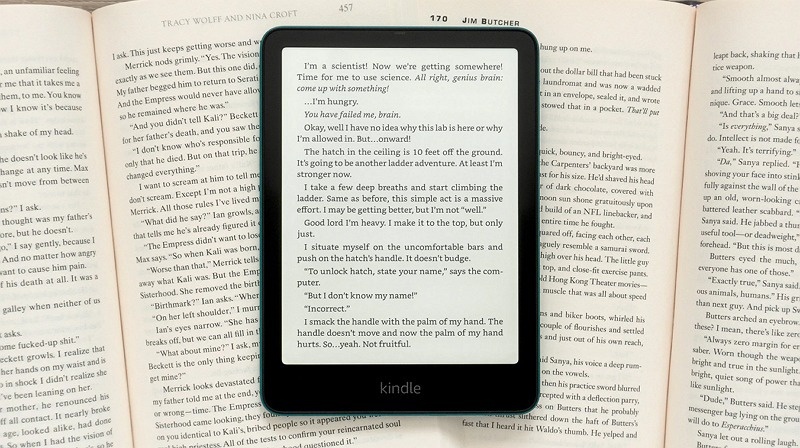
Kindle is considered to be a great reading device, but many users here won't have more flexibility like support for more formats, color e-ink screens, easier library access, and an open Android System. If you intend to read comics, annotate PDFs, or access different bookstores without restrictions, multiple alternatives to Kindle devices come up with better versatility.
You can look at the 8 mind-blowing Kindle alternatives discussed in this post that offer smooth reading, audiobook support, and comfort for long-hour use.
Part 1: 8 Best Kindle Alternatives for Reading
The devices mentioned below stand out as the best alternative for Kindle, courtesy of features like open eBook format support, color displays, Android flexibility, and easy access to global book stores. Each option below offers a short introduction and tends to highlight the features to enable you to decide better.
1. Kobo Libra Color
If you're looking for an alternative to Kindle, the Kobo Libra color might be a fine option. It is a premium color e-ink reader which is designed for readers who love to have vibrant and elegant visuals for manga, illustrated books, and comics. Kobo Libra color is fairly lightweight, easy to hold, and perfect for everyday reading, appearing as one of the best alternatives to Kindle Unlimited.

Features
-
7-inch color E-Ink display for books & comics
-
Supports EPUB, CBR, CBZ, MOBI & more
-
Waterproof body with page-turn buttons
-
Sync with OverDrive to borrow library books easily
2. Onyx Boox Palma 2
The Onyx Boox Palma 2 is another sublime Kindle alternative that resembles a smartphone but functions more like a pocket e-reader. It is fairly perfect if you love reading anywhere while standing, traveling or in bed without even holding a large device.
Features
-
Compact, one-hand phone-style reading device
-
Android OS --- install Kindle, Libby, Google Books
-
Eye-friendly E-Ink screen for long reading
-
Great for notes, quick reading & study
3. Onyx Boox Go Color 7
If the working of an Onyx Boox Palma 2 doesn't inspire you and going for another Kindle Paperwhite alternative is given, you can try out the Onyx Boox Go Color 7. It is a powerful and breathtaking color mini tablet with e-ink technology.
Students, PDF readers, and Manga fans who have developed a love for annotation freedom and color highlights can go for the Onyx Boox Go Color 7.
Features
-
7-inch Kaleido 3 color display
-
Runs Android apps without restrictions
-
Stylus support for notes and markups
-
Best for textbooks, comics & productivity
4. Kobo Clara Color
In the Kobo Clara color, you've got one of the most affordable Kindle Unlimited alternatives. It doesn't ask you to sacrifice any quality, as it is the most budget-friendly Kindle Replacement you'll ever find. This platform is absolutely powerful for casual reading and bedtime use.
Features
-
Color E-Ink in a compact body
-
Natural light adjustment for night reading
-
EPUB support --- no ecosystem lock
-
Connect to OverDrive for free library books
5. Viwoods AiPaper
Viwoods AIPaper is a modern eReader with AI-powered reading tools. This tool is built for distraction-free reading and contains improved focus for learners and novel lovers.
Features
-
Smooth paper-like reading feel
-
Smart AI assistant for reading suggestions
-
Very long battery life for travel & daily use
-
Suitable for novels, study material & PDFs
6. PocketBook Era Color
Despite having looked at all the alternatives to Kindle, if you're still struggling to find an appropriate option, you can consider PocketBook Era Color. It is a brilliant option for readers who want an all-around reading experience with audiobook support and wide format compatibility. It offers a stylish design and features text-to-speech capabilities for hands-free listening.
Features
-
7-inch color E-Ink Kaleido screen
-
Supports 20+ eBook formats (EPUB/PDF/CBZ/MOBI etc.)
-
Built-in Text-to-Speech & audiobook listening
-
Waterproof design + built-in page buttons
-
Access to PocketBook Store & library sync
7. iPad Mini
iPad Mini is one of the most versatile Kindle alternatives if you like reading, browsing, apps, entertaining, and note-taking. It is compatible with Kindle, Kobo, Google Play Books, comics apps, and more.
Features
-
8.3-inch Retina display for crisp text & comics
-
Install multiple reading apps (Kindle/Libby/Kobo)
-
Works with Apple Pencil for highlights & notes
-
Best for study, productivity & comic reading
-
Great for users who want more than an eReader
8. Nook Glowlight
Nook Glowlight is perfect for readers who would prefer a simple, bookstore-friendly device without complex features. It is affordable, lightweight, and designed purely for comfortable reading.
Features
-
6-inch E-Ink display with comfortable glow light
-
Direct access to Barnes & Noble bookstore
-
Supports EPUB/PDF sideloading
-
Lightweight with long battery life
-
Simple interface --- great for casual readers
Part 2: How to Create Audiobooks with AI Narration
The written form book still has a lot of relevance and a lot of adults and old men still prefer reading books, but the world has changed dramatically. The trend of listening to audiobooks is a norm nowadays, as nobody has ample time to sit through and read books, spending valuable hours.
With BlipCut Text To Speech, you can type in the content of the books and transform the written text description into an audiobook with AI narration. Supporting 40+ languages, BlipCut can generate audiobooks in your native language and every language it offers comes up with professional audio quality for educational purposes, podcasts, and audiobooks.
Features
-
Generate audiobooks from written text descriptions, with 99% accuracy
-
Supports 600+ realistic voices for AI narration
-
Helps you to create the audiobook voiceover in 40+ languages
-
Provides a simple user interface, making it easier for newcomers
-
Create audiobooks from a pasted URL address
-
Supports using generated AI voices for commercial purpose

How to convert text to an audiobook with BlipCut Text to Speech?
Step 1: Select Create Voiceover
After going to the official webpage of the BlipCut Text to Speech, you'll need to choose the More Tools icon. Next, you'll need to choose the Text to Speech icon and then hit the Create Voiceover icon.
Step 2: Choose Custom Voices
You can now enter the written script and then select the preferred voice in any language. You can also customize the speed and add blocks or pauses as needed. Start generating the audiobook from the written text description by selecting the Voiceover.
Step 3: Export the generated audio
After generating the audiobook voiceover, you'll need to preview it to ensure that it is according to your requirements and preferences. If the audiobook is okay and you're happy with it, press Download and click Audio to export it to your computer.
Conclusion
With a lot of Kindle Unlimited alternatives out there in the market, you don't have to stick to one ecosystem. Kobo provides better format freedom with Onyx bringing Android Flexibility, and Viwoods focusing on AI reading improvements; each and every option makes complete sense.
Meanwhile, BlipCut Text to Speech allows you to transform the written text into audiobooks for hands-free consumption, enabling you to generate audiobook voices in highly realistic audio quality. So you must select the device and tool that matches you reading style and enable you to enjoy a more colorful and open reading experience beyond Kindle.
Leave a Comment
Create your review for BlipCut articles

Blake Keeley
Editor-in-Chief at BlipCut with over three years of experience, focused on new trends and AI features to keep content fresh and engaging.
(Click to rate this post)